Remote Installation Configuration
Click the configure button  to open
the link's configuration.
to open
the link's configuration.
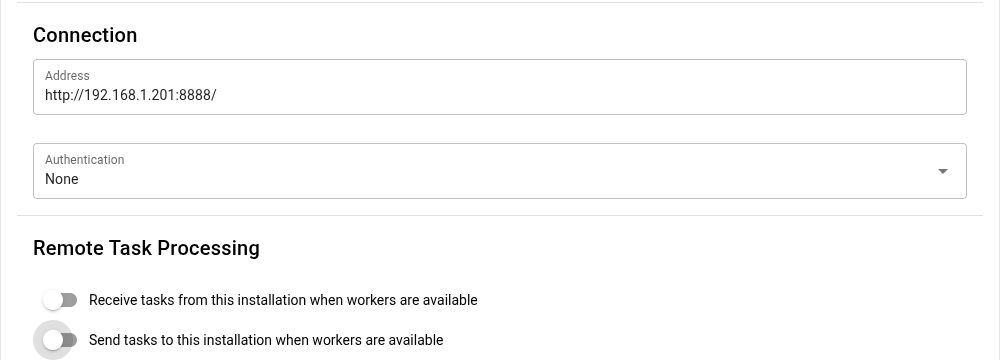
A link can be configured with the following options:
Receive tasks from this installation when workers are available
When selected, this local installation will be configured to receive tasks from the remote installations whenever local Workers are Idle and there aren't any Pending Tasks are in the queue.
Send tasks to this installation when workers are available
When selected, the remote installation will be configured to receive tasks from this local installation. The same configuration option as above, but reversed.
This configuration option is disabled if the remote installation is not available. However, if you set this option while the remote installation is available and then that installation becomes unavailable, this option will not be disabled.
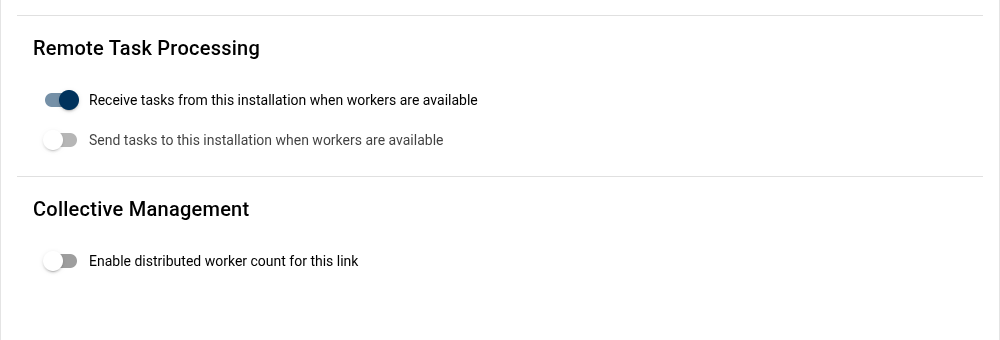
If this option is selected, you will also have the option to preload a task on the remote installation Pending Tasks queue.
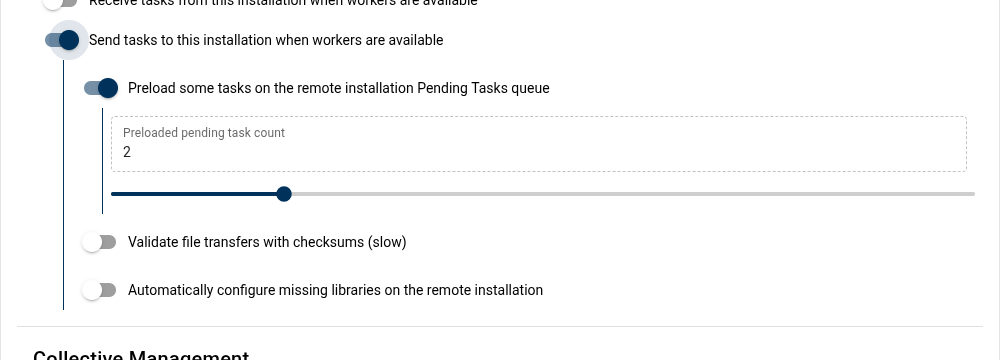
When sending tasks to a remote installation, you may also configure Unmanic to preload the remote Pending Task queue with an additional Task. This will speed up processing time as it allows the remote worker to begin carrying out jobs on the new Task without needing to wait for the network transfer.
When preloading is enabled, you can also set the number of tasks to keep queued on the remote installation.
Preloading uses the remote installation's pending task count as a target. If the pending queue drops below your target, Unmanic will queue extra tasks so workers do not idle while waiting for transfers. This does not cap the total work on the remote installation (in-progress tasks are in addition), and you may briefly see the pending count go slightly above the target. Enable preloading when network latency or large files would otherwise leave remote workers idle; leave it off if you want to minimize queued work or conserve bandwidth.
Enable checksum validation for transfers
When enabled, Unmanic will validate checksums for files transferred to and from the remote installation to ensure file integrity.
Auto-configure missing libraries on the remote installation
When enabled, Unmanic will import any missing library configurations to the remote installation. Imported libraries are configured as remote-only with scanning disabled.
Remote-only here controls scanning and file monitoring on the remote installation. It does not prevent linked tasks from being created against that remote library by path when the remote host can resolve the file on shared storage. If the file is not reachable at the resolved path, Unmanic falls back to the HTTP upload/download flow.
This option is responsible for creating the first matching library on the remote installation. Once the library exists, Unmanic can route tasks for that library to the remote installation.
If this option is enabled, every local library can be created on the remote installation, which effectively allows tasks from all libraries to be sent there. If you need to prevent certain libraries from ever routing tasks to a remote installation, leave this option off and create only the libraries you want on that remote.
Keep remote library and plugin configuration up to date for every sent file
When this option is enabled, Unmanic will re-push the local library and plugin configuration to the matching remote library every time it sends a file to that remote installation.
This option is only available when Auto-configure missing libraries on the remote installation is enabled. If auto-configure is disabled, this option is hidden and disabled as well.
Use this when you want the remote installation to always process tasks with the same library settings and enabled plugin configuration as the local installation. Leave it disabled if you want the remote installation to keep its own independent plugin settings after the initial library import.
This option will overwrite the remote installation's settings. If you need to configure plugins differently across your hosts (eg. different HW acceleration settings), then this option should not be enabled.
Enable distributed worker count for this link
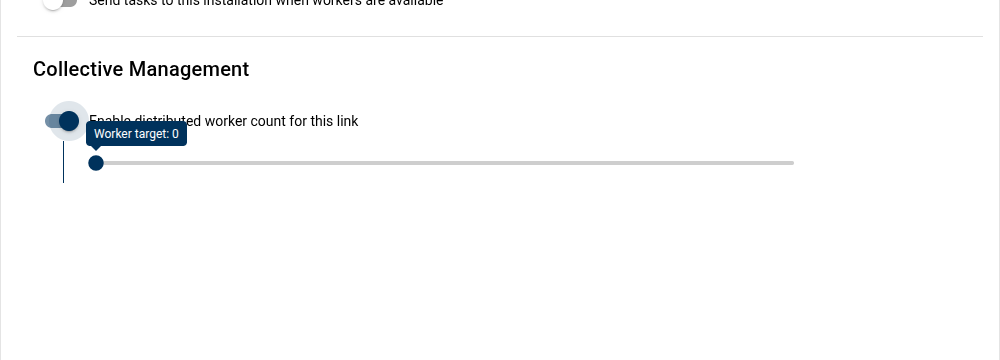
Under some circumstances you may wish to link multiple installations together to share in a collective number of Workers.
This option gives you the ability to set a Worker count target to maintain across all linked installations with this option selected.
The value selected for the Worker count target will be pushed to the remote installation.
The Worker target value is global across all installations that you select this option for. Changing it in the configuration of one link will also change it for all others.
The Worker target is a "target". Meaning that all configured installations do their best to maintain this number of Workers. However, from time to time you may see the actually distributed Worker count increase over this or maintain below this. This is normal. Assume this value is plus or minus one.
When wanting to maintain two libraries independently on the same PC, it is a good idea to link those installations and configure a Worker target to share amongst those installations.
This way, you get to maintain custom plugin stacks for each library, with the benefit of limiting the overall Worker count for that PC to whatever target you configure here.