API Usage
Unmanic provides a REST API that allows you to programmatically test files and add them to the task queue. This offers a flexible alternative to both library scanning and event monitoring.
Accessing API Documentation
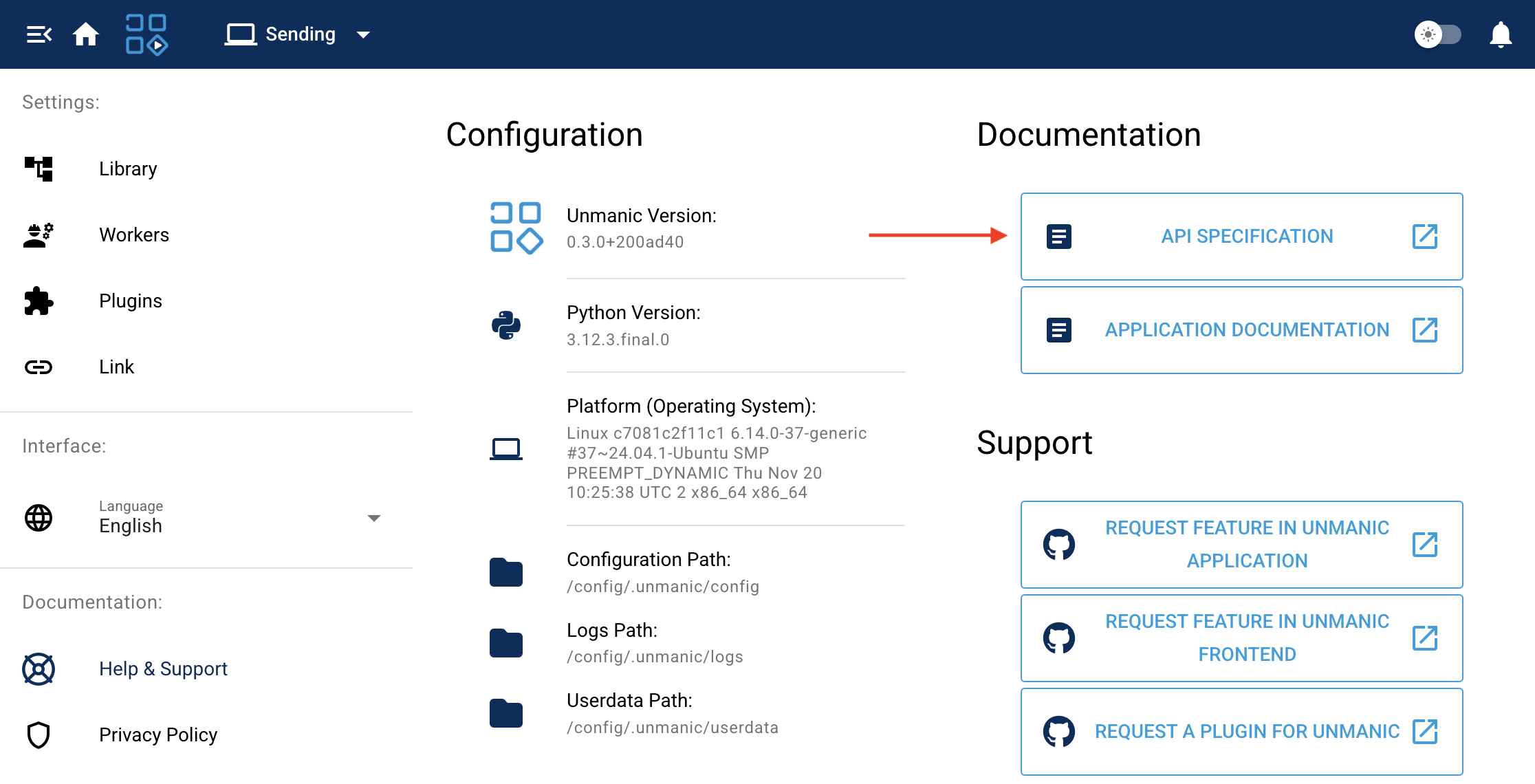
Unmanic includes built-in API documentation accessible directly from your Unmanic instance. Navigate to your Unmanic web interface and access the API documentation section (Home -> Settings -> Help and Support) to explore all available endpoints, request formats, and response structures.
The API documentation is interactive, allowing you to test endpoints directly from the browser.
Why Use the API?
Using the API to submit files for processing provides several advantages:
- Efficiency: Avoid the resource overhead of scanning large libraries when you already know which files need processing
- Precision: Submit specific files for processing exactly when needed, rather than waiting for a scan or event
- Integration: Integrate Unmanic with other tools, scripts, or automation workflows
- Control: Programmatically test files against your plugin flow before deciding whether to queue them
Scripted File Submission
You can use a bash script to test files via the API and add them to the task queue. This approach is useful when you have external processes that create or modify files and you want to trigger Unmanic processing on demand.
Example Workflow
A typical scripted workflow involves:
- Test the file: Use the API to run your library's file test plugins against a specific file to determine if it needs processing
- Queue the file: If the file requires processing, use the API to add it to the pending tasks queue
- Monitor progress: Optionally poll the API to check task status
This allows external scripts or applications to trigger Unmanic processing for individual files as needed, rather than relying on Unmanic to discover them through scanning or event monitoring.
Use Cases
- Post-download processing: Trigger processing immediately after a download completes
- Scheduled batch jobs: Process specific files at certain times using cron or other schedulers
- Integration with media managers: Have tools like Sonarr, Radarr, or other applications call Unmanic's API when new media arrives
- Manual triggering: Create simple scripts to process files on demand
When to Use API Submission
API-based file submission is ideal when:
- You have a large library and want to avoid the overhead of full library scans
- External processes know exactly which files need processing
- You want fine-grained control over when files are submitted
- You are integrating Unmanic into a larger automation pipeline
For automatic discovery of files that need processing, consider using library scanning or event monitoring.